Scraping in JS
August 3, 2024
Introduction #
For one of our client Midas Finance we had to implement stock quotes on their home page. There are existing API but we’re not sure of it usability.
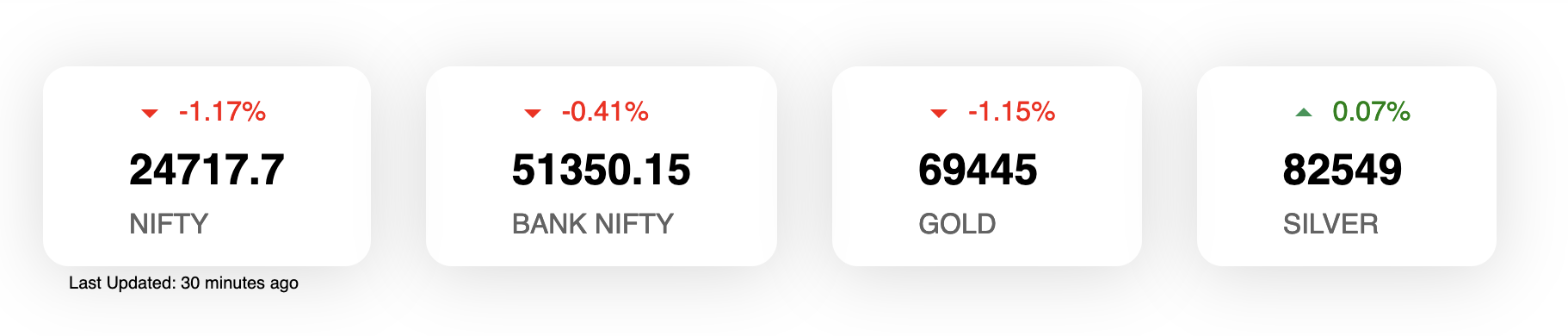
To solve this issue we use Moneycontrol’s undocumented APIs. Basically to scrape this we had to use two mechanisms:
Along the way we had to solve few sub-problems:
- Problem 1: Access denied for Puppeteer scraping code
- Problem 2: Figuring our expiry dates for commodities
- Problem 3: Avoiding getting blacklisted
- Problem 4: Executing scraper at periodic interval
Note: You can find scraper code here
Problem 1: Access denied for Puppeteer scraping code #
Amongst other things Puppeteer is also used by Playwright for automated testing. For generating this widget we had to scrape
- Equity prices
- Commodity prices
Since commodities are dependent on expiry dates, we had to find correct dates for constructing correct URLs. For this we have used Puppeteer to find expiry dates from dropdown. But before we get to scraping part, we need to talk about Access denied issue.
This typically happens because User-Agent string are not set correctly. To solve this we used following lines of code
  await page.setUserAgent(
    "Mozilla/5.0 (Macintosh; Intel Mac OS X 10_14_1) AppleWebKit/537.36 (KHTML, like Gecko) Chrome/73.0.3683.75 Safari/537.36",
  );
Problem 2: Figuring our expiry dates for commodities #
I found a good reference for being able to scrape elements form page. But it simply boiled down to following lines
  const options = await page.$$eval("option", (items) =>
    items.map((item) => item.value),
  );
This basically finds all option values and stores in options array.
Problem 3: Avoiding getting blacklisted #
This is tricky. The best thing to do is not to hit too hard. To solve this issue its best to avoid scraping when not needed. We have defined trading hours and trading days so we’ve written a code that checks if we should scrap
// Check if its good time to scrape
const shouldScrape = () => {
  const currentTime = new Date();
  const currentOffset = currentTime.getTimezoneOffset();
  const ISTOffset = 330;
  const ISTTime = new Date(
    currentTime.getTime() + (ISTOffset + currentOffset) * 60000,
  );
  const dayOfTheWeek = ISTTime.getDay();
  // Weekend constraint
  if (dayOfTheWeek === 0 || dayOfTheWeek === 6) {
    return false;
  }

  //Trading hours constraint
  if (ISTTime.getHours() < 9 || ISTTime.getHours() > 16) {
    return false;
  }

  return true;
};
Problem 4: Executing scraper at periodic interval #
This was little tricky, we tried variety of ways to have scraper run. But in the end we used cron. The crontab on production machine looks something like
*/29 * * * * /home/ubuntu/Code/midas-website/src/utils/scraping.sh > /home/ubuntu/logs/scraping.log 2>&1
This runs scraping.sh every 29 mins. The 2>&1 ensure all the errors are logged to file as-well. The contents of scraping.sh are as follows
#!/bin/sh
echo "Running script"
/home/ubuntu/.nvm/versions/node/v21.6.2/bin/node /home/ubuntu/Code/midas-website/src/utils/scraping.mjs
echo "Sending ping to Uptime Kuma"
curl "https://uptime.fafadiatech.com/api/push/BP94r5MjnY?status=up&msg=OK&ping="
Key thing to note here is the last curl. This line is for monitoring on Uptime Kuma. The script runs every 30 mins or so and we’ve setup monitor to raise alerts if updates are not pushed in 45 mins.
Closing thoughts #
Cherio is another interesting things that needs to be explored. But writing scraper in JS seemed a little different (In a good way).